Referral partners
Hotels, travel agents and campsites send you customers. Add them as referral partners and pick the partner on each booking they send. Nomora works out the commission you owe them, and you record each payout.
Nomora never sends the money. You pay the partner your usual way, then record the payment here.
Add a partner
- Open Finances → Referrals and click Add partner.
- Enter the partner’s name. The contact person, email, phone, legal name and bank account are optional.
- Choose % of charges or Fixed per booking, then enter the commission.
- For a percentage, tick what it is earned on: rent, insurance, add-ons, location and delivery fees, distance overage or extra charges.
- Click Add partner.
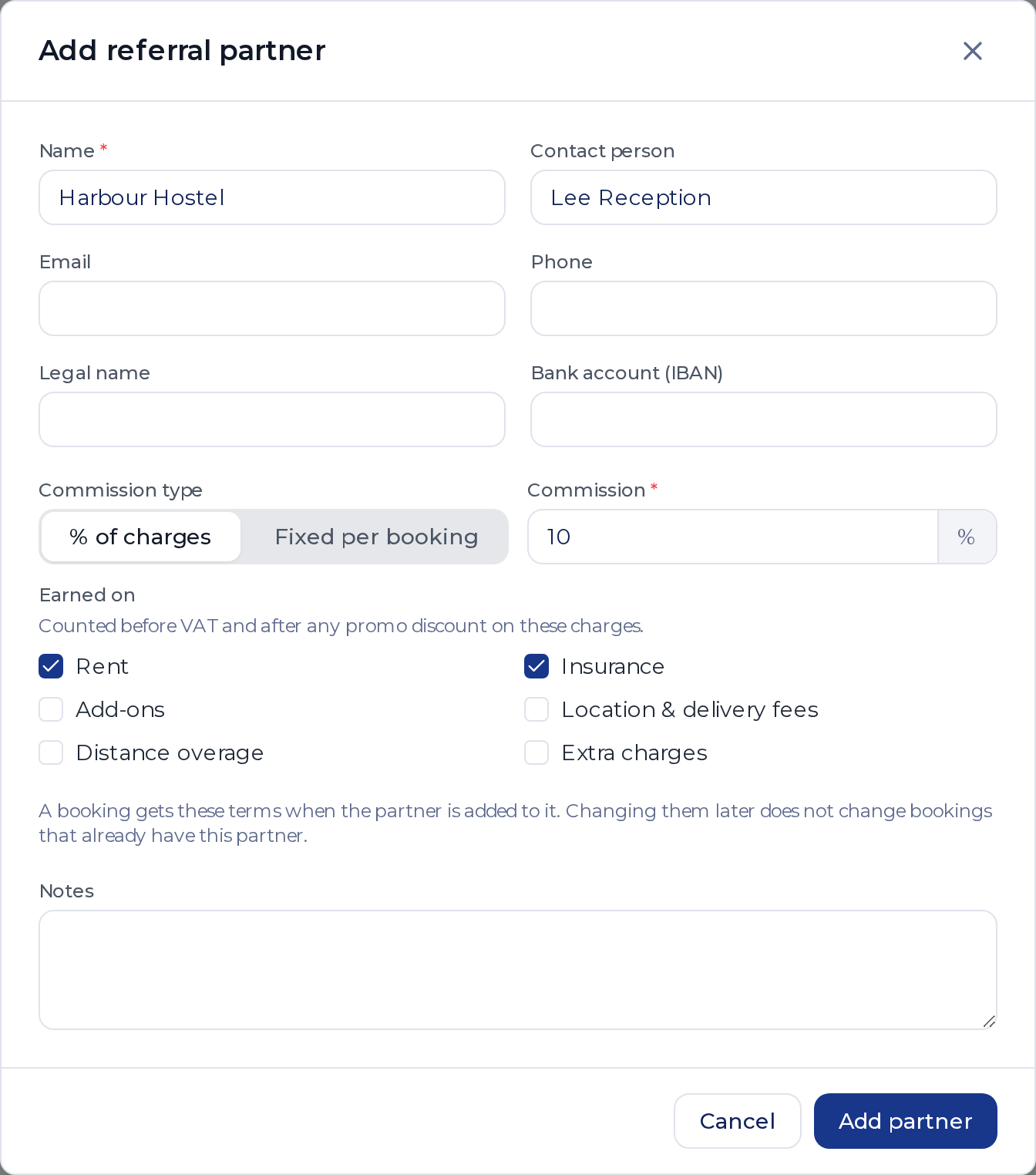
A percentage counts before VAT and after any promo discount on those charges. With no VAT, 10% of rent on a €500 rental with a €50 promo discount earns €45.
Add the partner to a booking
In New Booking, go to the Details step and pick the partner under Referral partner, next to Status.

For a booking that already exists, find the Referral partner card on the booking page and click the pencil.
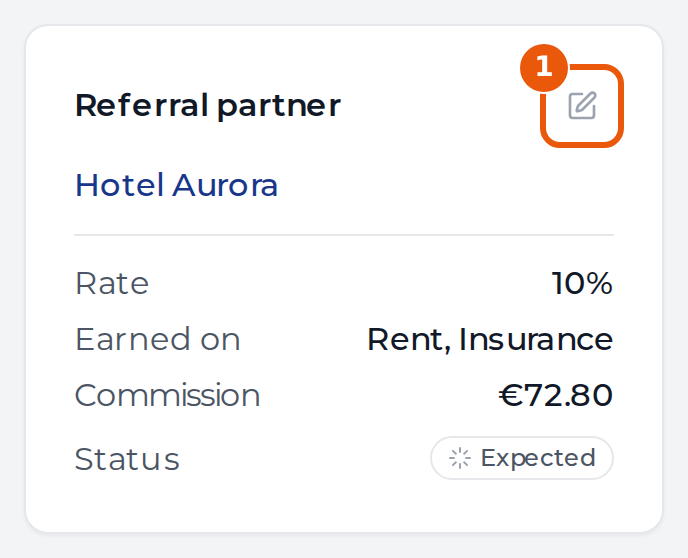
The booking takes the partner’s terms at that moment and keeps them if you change the partner later. A booking can’t have its own rate. Leases and open-ended bookings take no referral partner.
To find a partner’s bookings, use the Referral partner filter and column in the bookings list.
See what you owe
Finances → Referrals lists each partner with three totals. Click a partner to see the bookings behind them.
| Total | What it counts |
|---|---|
| Owed now | Commission on rentals that have ended, less what you already paid |
| Expected | Commission on bookings not yet returned |
| Paid | Every payout you recorded |
A cancelled booking earns no commission. If a booking’s price changes after you paid its commission, the row shows Adjustment with the difference. A booking cancelled after a payout appears under Cancelled after payout.
Record a payout
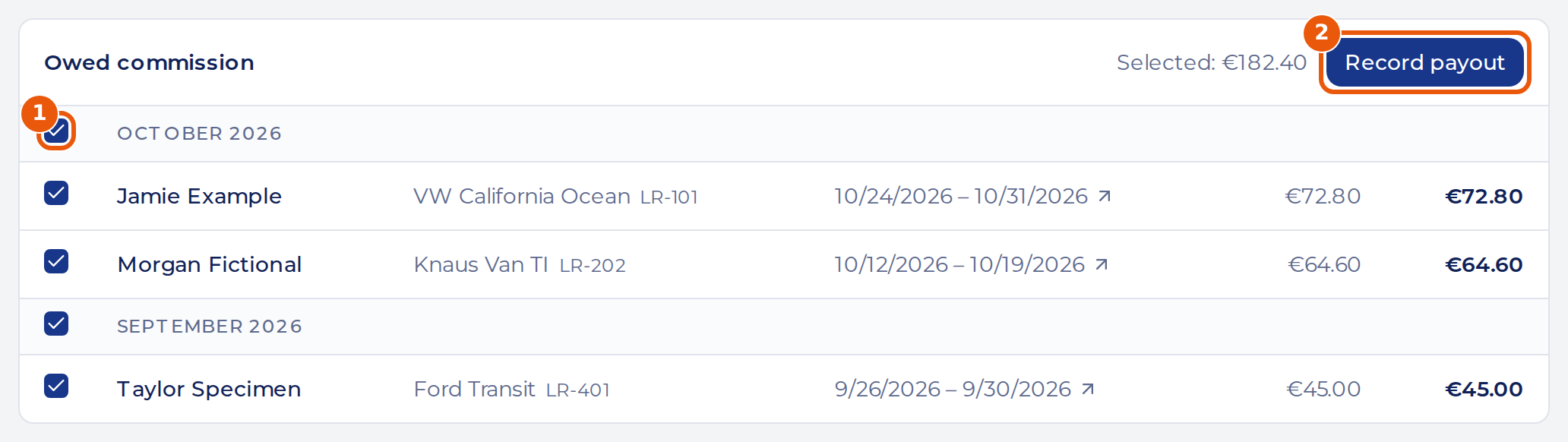
- Open the partner. Under Owed commission, tick the bookings you paid, or tick a month to take all of it.
- Check the Selected amount and click Record payout.
- Enter the date you paid, the method and a note, such as the statement it belongs to.
- Click Record payout.
The payout appears under Payouts on the partner, and in Expenses under Referral commissions, split per vehicle.
To correct a mistake, click the bin next to the payout and confirm. Its expenses are deleted too, and the commission is owed again. Once a payout has paid a booking’s commission, that booking’s partner and terms can’t change.
Stop using a partner
Open the partner, click Edit and turn off Active. An inactive partner can’t be added to new bookings. It keeps its bookings and payouts.
Who can do what
Admins add partners and record payouts. An Admin viewer can read all of it. Members pick the partner on a booking, but they don’t see Referrals or the commission. Recorded payouts are expenses, so Members can see them in the Expenses list.