Emails after check-in
Optionally notify your team or service partners after a vehicle is returned. These settings are separate from completing pickup and return; leave them unconfigured if your organization does not need these notifications.
Configure recipients
Open Settings → Notifications → Check-in summary email. Both emails are optional and have their own recipient lists.
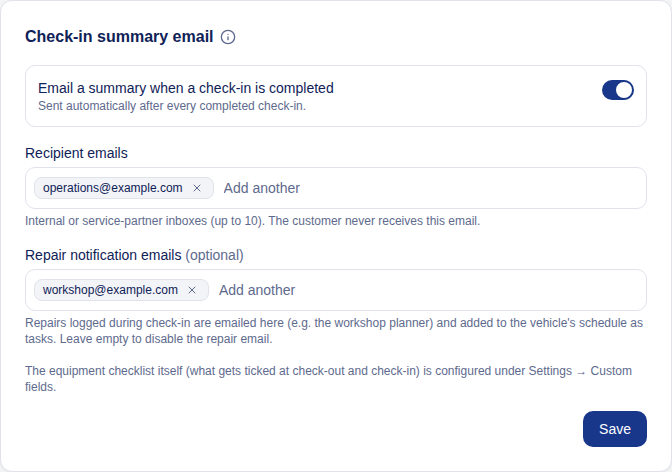
- To send a summary after every completed check-in, add Recipient emails and turn on Email a summary when a check-in is completed. The summary includes the booking and vehicle, mileage and any overage, the fuel or charge level at pickup and return when one was recorded, unresolved defects recorded for the rental with photos, and missing equipment with notes.
- To send repair details to your workshop or service partner, add Repair notification emails. These emails are sent when check-in creates repair tasks and include the descriptions and photos. Leave this list empty to disable repair emails.
- Click Save after editing recipients. Each list supports up to 10 addresses. Type or paste addresses into the recipient field, then use Enter or a comma to add them.
The summary toggle and repair recipient list work independently. Turning off summaries does not turn off repair emails. These notifications go to the staff or service-partner addresses you configure; the booking customer is not automatically added as a recipient.
For the equipment included in the summary, see equipment checklists.
Last updated on