Terms Acceptance Certificate
When a customer accepts your rental terms through a customer link or the Guest Book, they tick a checkbox after reading the terms. This acceptance record is separate from a document signature. Nomora records that moment and can print it as a PDF certificate: who accepted, which version of the terms, when, and from which device.
You need it when someone else has to be convinced that this person rented the vehicle. The typical case is a traffic or parking fine that arrives addressed to you as the owner and must be re-addressed to the renter.
Where to Download It
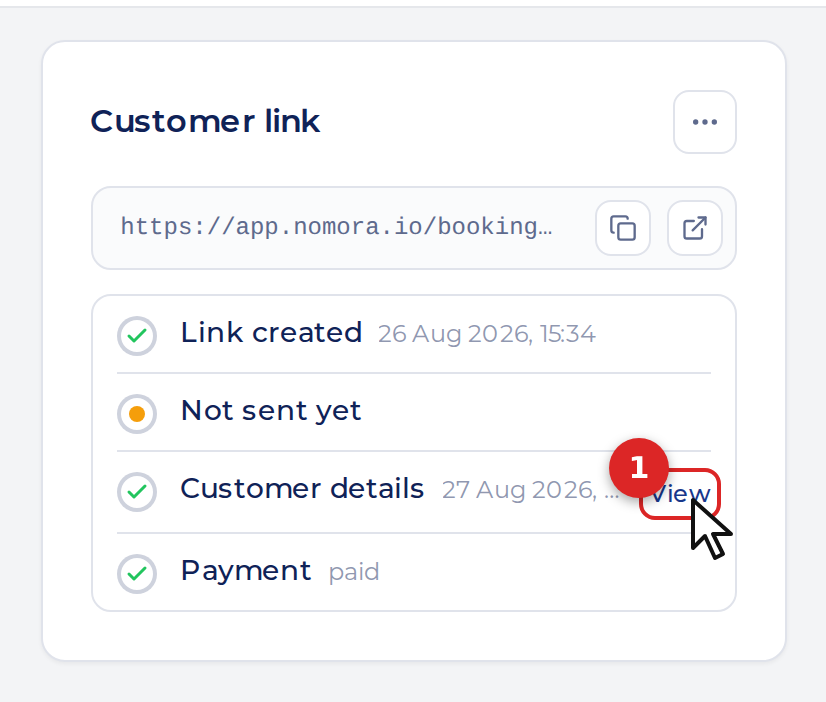
Open the booking. In the right column, the Customer link card shows the link’s timeline.
- Click View next to Customer details.
The details the customer submitted expand under the timeline. At the bottom of that block, Terms accepted on … shows the date and time the checkbox was ticked.
- Click Acceptance certificate (PDF) just below it. The browser downloads a file named
terms-acceptance-<booking>.pdf.
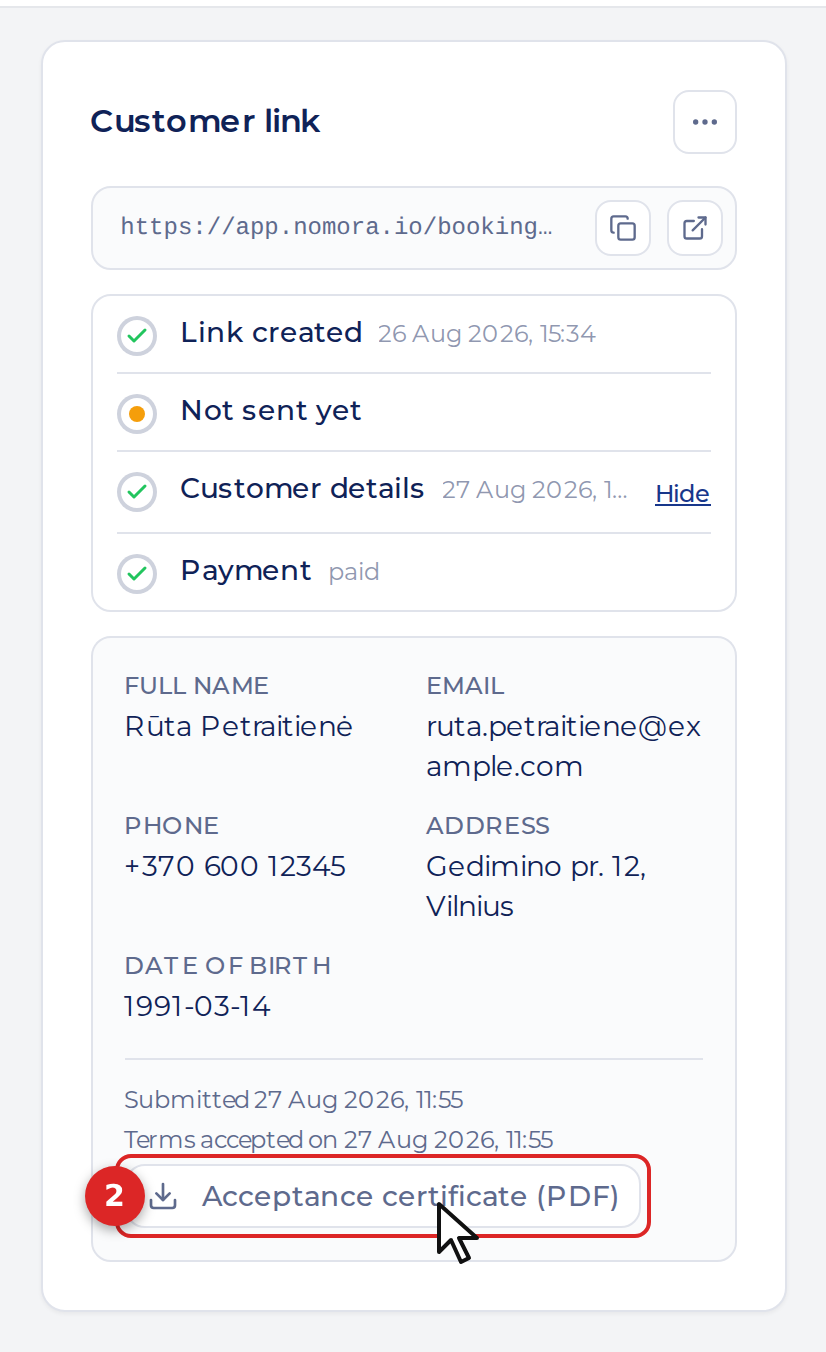
The button only appears when an acceptance was recorded. A booking you created yourself can have a certificate if the customer later accepted the terms through its link. Signing a contract alone does not create a terms-acceptance record, and a booking can have both. For signed contracts, use the Documents card on the same page.
What the Certificate Contains
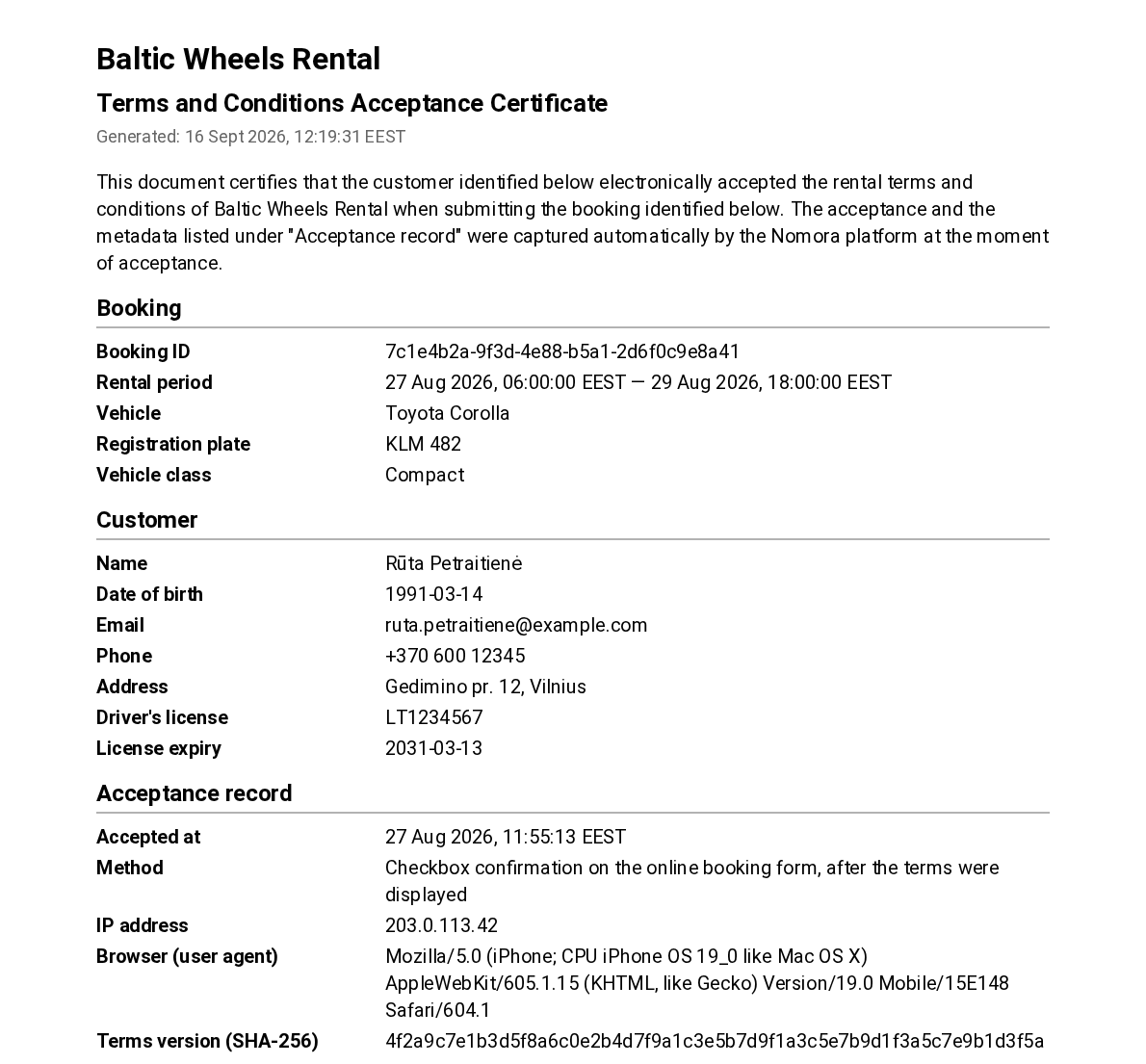
- Booking: booking ID, rental period in your organization’s timezone, vehicle, registration plate and vehicle class.
- Customer: name, date of birth, email, phone and address, plus any documents the form collected: personal code, ID card number, driving licence number and expiry.
- Acceptance record: the exact timestamp, how the terms were accepted (checkbox on the online booking form, after the terms were shown), the customer’s IP address and browser, and a SHA-256 fingerprint of the terms text.
- Accepted terms and conditions: the full text of the terms exactly as the customer saw them, on the following pages.
Good to Know
- The certificate is generated when you click the button, so the Generated line at the top carries today’s date. Everything under Acceptance record is what was captured at the time of booking and does not change.
- Editing your terms later does not affect older certificates. Nomora keeps the version each customer accepted and prints that one.
- Headings and labels follow your app language. The terms text itself is never translated: it is reproduced in the language the customer accepted it in, which is the whole point of the evidence.
- The customer’s IP address and browser string are recorded automatically when they submit the form. There is nothing to enable.