Fleet Actions
An action is one job that has to happen on many vehicles, such as changing to winter tyres. You tick each vehicle off as it is done, and Nomora closes the action when the last one is ticked. Admins, Members and Mechanics can all use actions.
Create an action
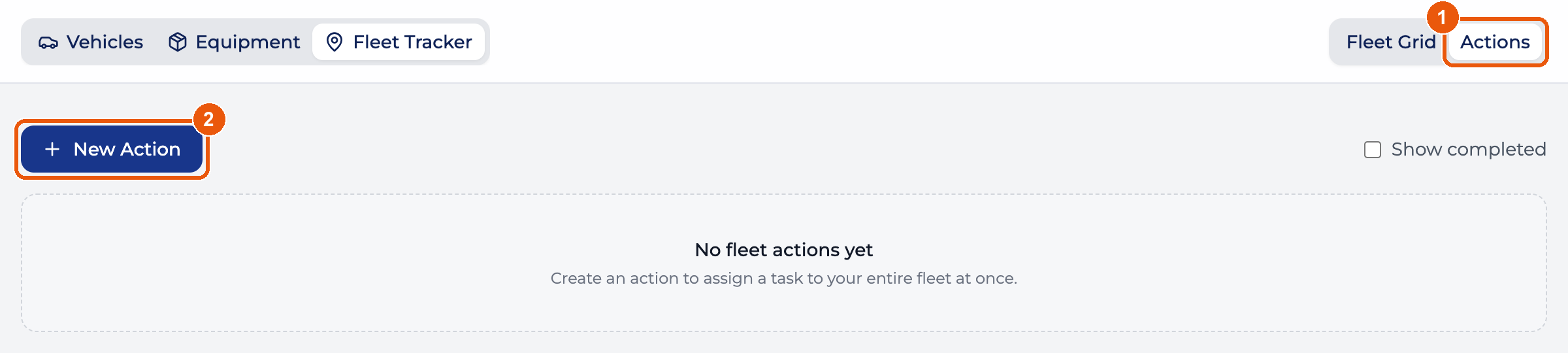
- In Fleet Tracker, switch to Actions in the top right.
- Click New Action.
Give the action a title and click any vehicle to leave it out. Every vehicle starts selected.
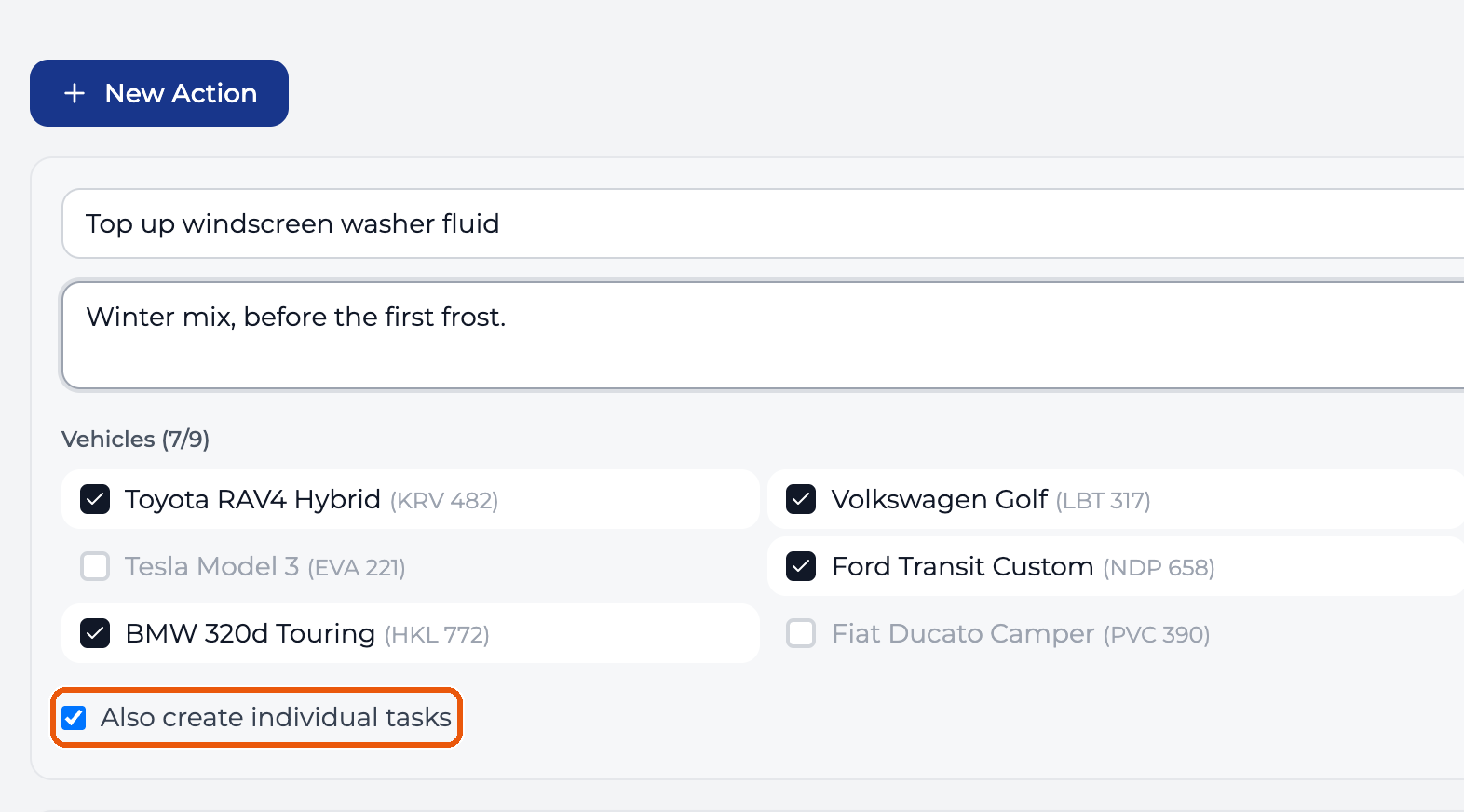
Tick Also create individual tasks if each vehicle should get its own task on the Tasks page. Completing a task ticks its vehicle in the action, and ticking the vehicle completes the task. If the two ever disagree, tick the vehicle in the action yourself.
The vehicle list is fixed when you create the action. A vehicle you add later doesn’t join it.
Tick vehicles off
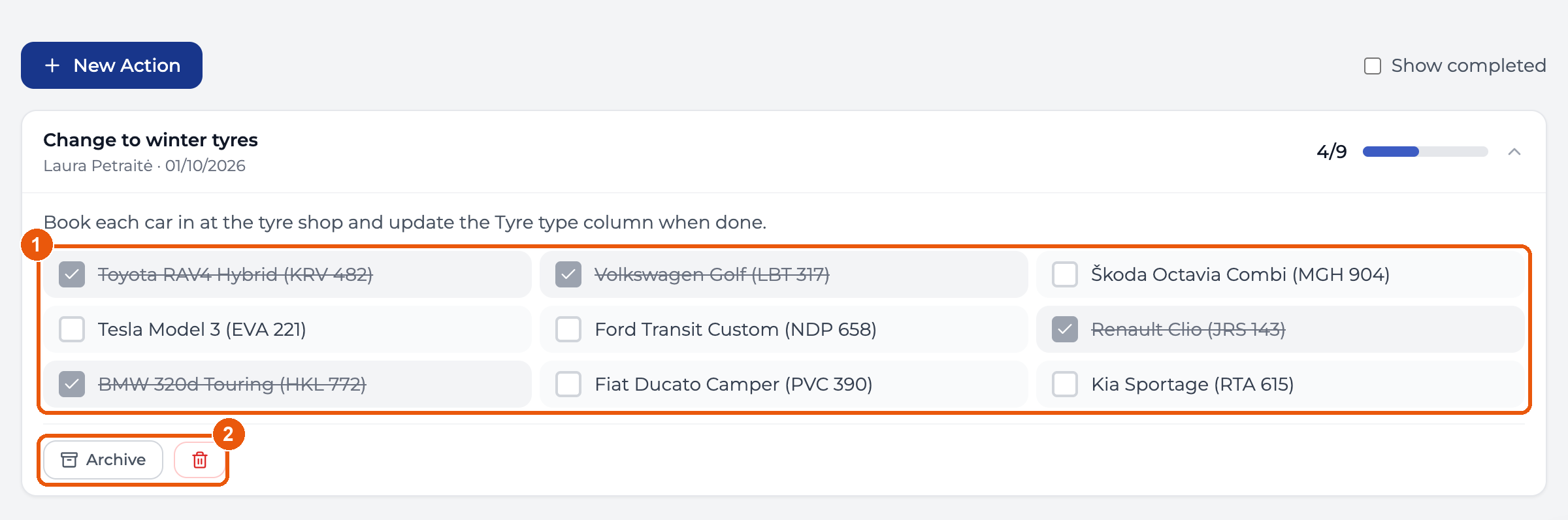
- Click a vehicle to mark it done, and again to undo. Each tick saves on its own.
- Archive shelves an action you won’t finish. The bin deletes it.
When the last vehicle is ticked, the action leaves the list. Tick Show completed in the top right to see finished and archived actions.
The bin deletes at once, with no confirmation and no undo. Tasks created with the action are deleted too.