Fleet Tracker
Fleet Tracker is a spreadsheet of your fleet. Every vehicle is a row, and you add the columns yourself. Use it for whatever you track per vehicle that Nomora has no field for, such as a spare key, the tyre type, or a car wash subscription.
Where to find it
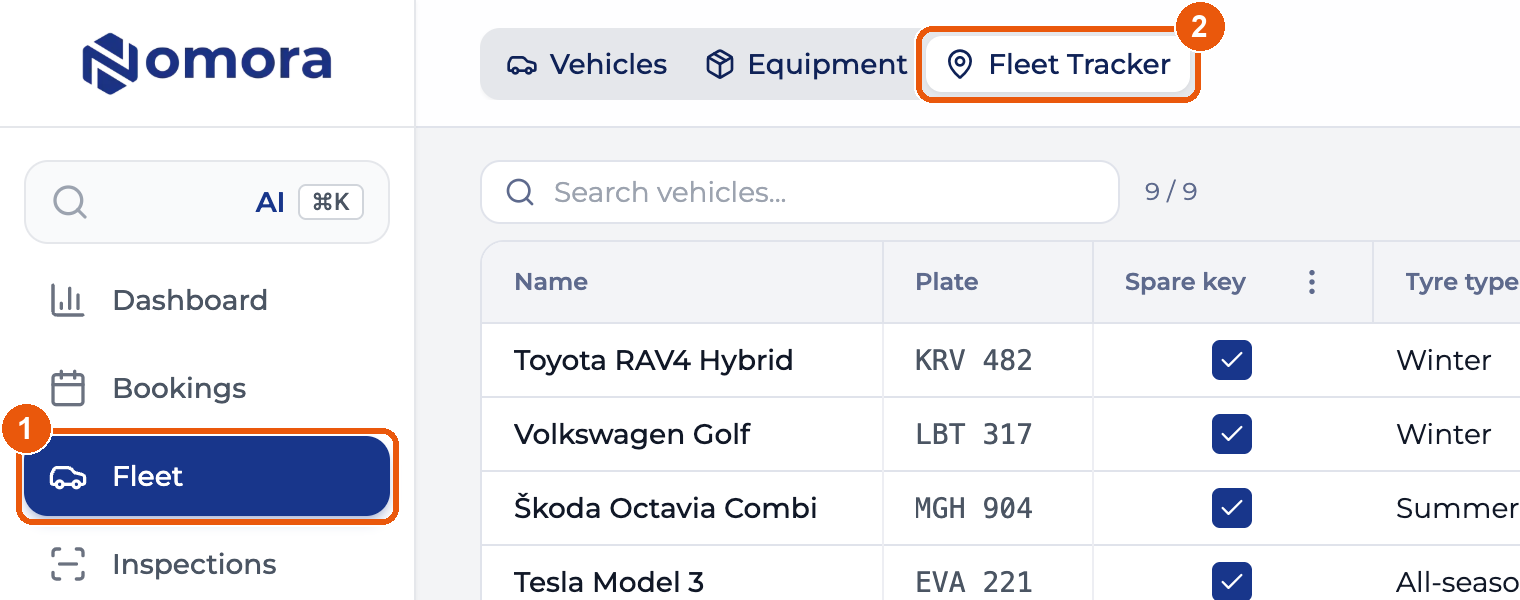
Open Fleet in the sidebar, then the Fleet Tracker tab. A switch in the top right flips between Fleet Grid, the spreadsheet, and Actions, checklists for the whole fleet.
What you click
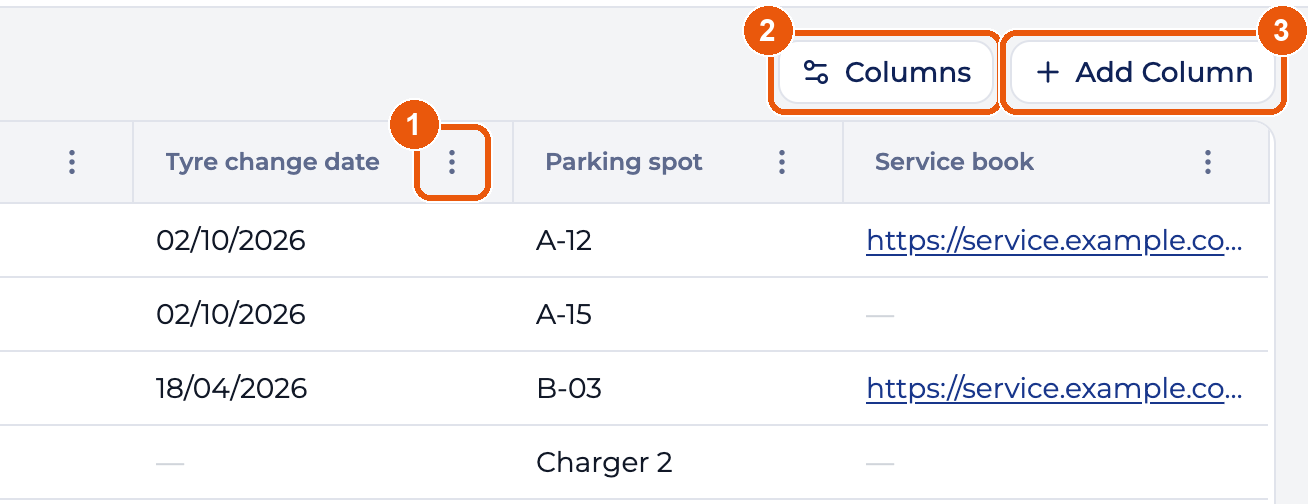
- ⋮ in a column header edits or removes that column.
- Columns shows or hides columns, for you only.
- Add Column creates a column for the whole team.
To change a value, click its cell.
How do I…
| I want to | Go to |
|---|---|
| Add a column | Add a column |
| Show a column on the vehicle’s form and page | Show a column on the vehicle |
| Rename a column or change its dropdown options | Edit a column |
| Move, widen or hide a column | Reorder and resize, show or hide |
| Remove a column, or bring one back | Remove, restore |
| Fill in values and save them | Fill in and save data |
| Run one job across many vehicles | Fleet Actions |
| Work out why something isn’t showing | Troubleshooting |
Who can do what
Admins add, edit and remove columns. Admins, Members and Mechanics fill in cells and run actions. Admin viewers and Viewers see the grid and the actions and cannot change them. See Roles & Permissions.
The grid doesn’t save as you type. Click Save All before you switch tabs or pages.
Last updated on