Book from the right branch
When you make a booking in Nomora, the vehicle list tells you where each car will be when the rental starts, so you can give the customer a car that is already at their pickup branch.
Pick a car
- In New Booking, set the dates and choose the Pick-up location.
- On the vehicle step, each car shows a pin with the branch it will stand at when the rental starts. That is where it will be after any rentals and transfers before then, not where it is today.
- Within Available, Reserved and Rented, cars at the pickup branch come first, then cars whose place is unknown. Cars at another branch come last and say Needs transfer. A car you opened New Booking from, for example from an empty day on its calendar row, stays first in its group.
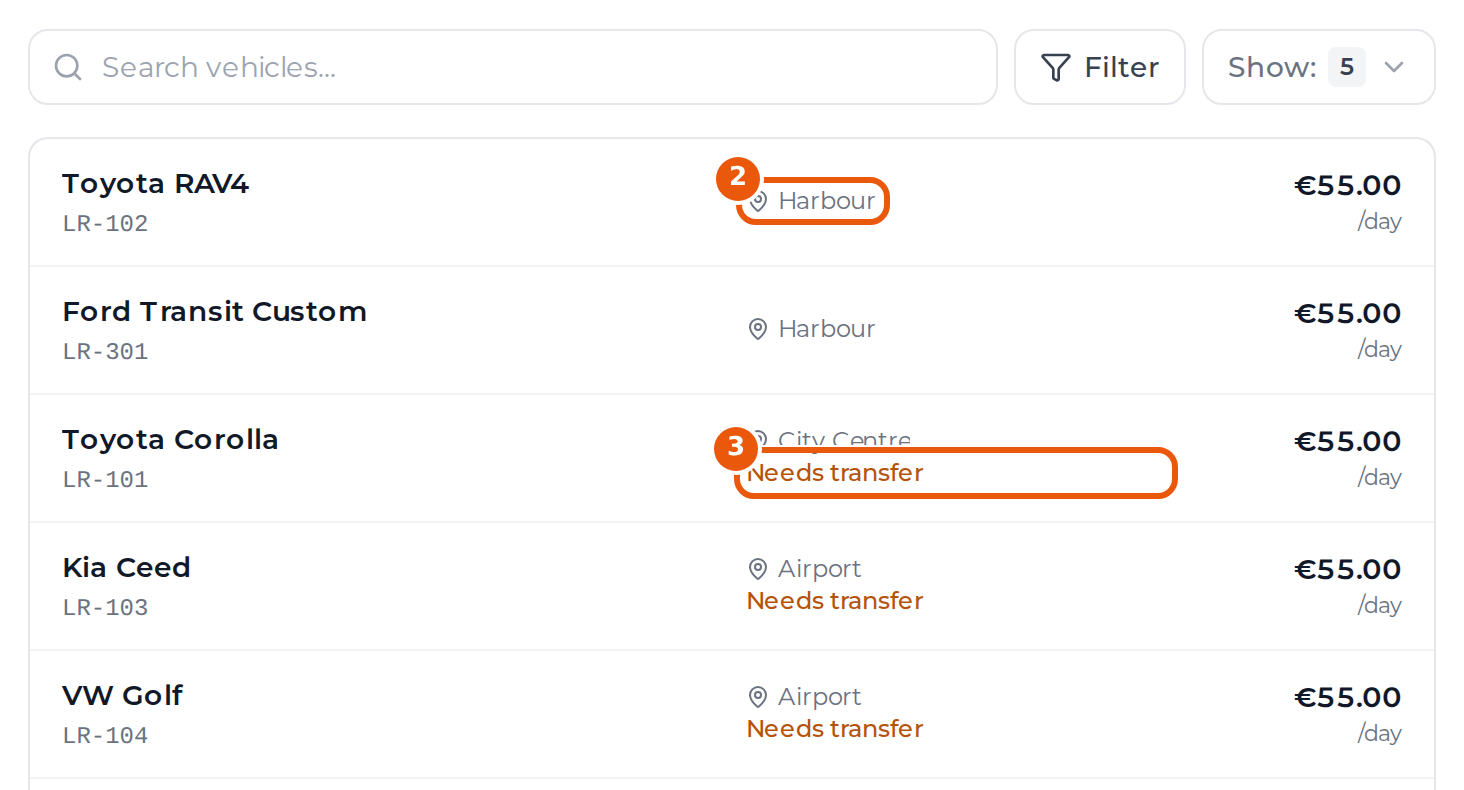
Needs transfer is a hint, not a block. If you book that car, the calendar shows a red box on its row until you plan a transfer.
Online bookings
The Guest Book and your booking website offer every car in the fleet, whichever pickup the customer picks. Keep an eye on the calendar by branch for red boxes after online bookings come in.
Last updated on