Dashboard
Dashboard opens on Overview, your day at a glance. Statistics holds ready-made and custom reports described in Statistics and reports.
Arrange your Overview
The Overview is made of widgets. Click Customize at the top right to choose which ones you see, how big they are and where they go.
- Drag a widget to any free spot to move it.
- Drag its corner to resize it. A bigger widget shows more: more rows, a chart or a second column.
- Click an empty space, or Add widget, to add one. A widget added to an empty space takes the size that fills it.
- Click − to remove a widget.
- Click Reset to go back to the standard Overview.
Click Done when you finish. Each team member arranges their own Overview, and nobody else sees it. The sections below describe the widgets of the standard Overview.
Top tiles
The four tiles show total vehicles, fleet utilization, bookings this month and Monthly Income, the money received this month. The Income trend compares with the same days of last month.
Agenda
The agenda lists what happens next. Each row shows the time, vehicle and customer, and opens the booking.
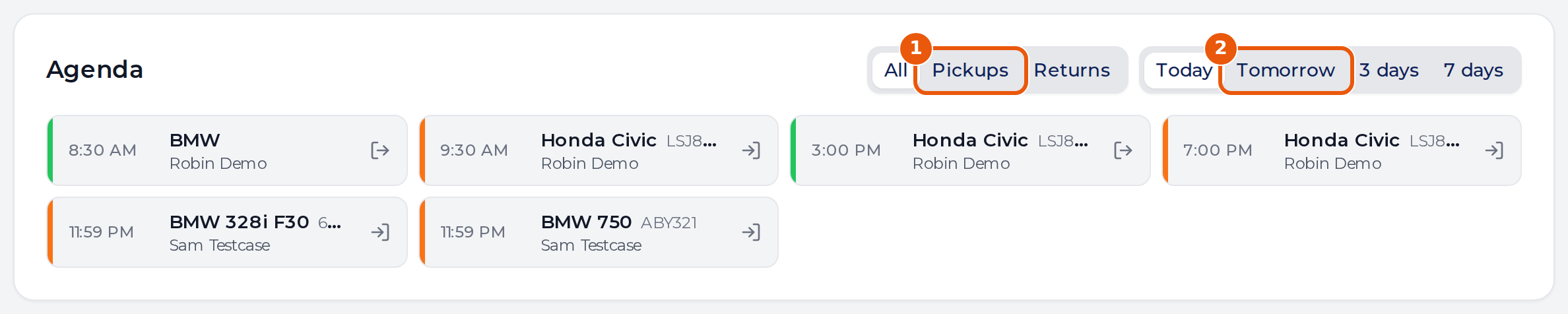
- Choose All, Pickups or Returns.
- Choose Today, Tomorrow, 3 days or 7 days. Tomorrow is that day alone. The two longer ranges start today.
A booking gives a pickup and a return of its own, so one rental can appear twice in a range.
Performance
The chart compares what you booked with what came in.
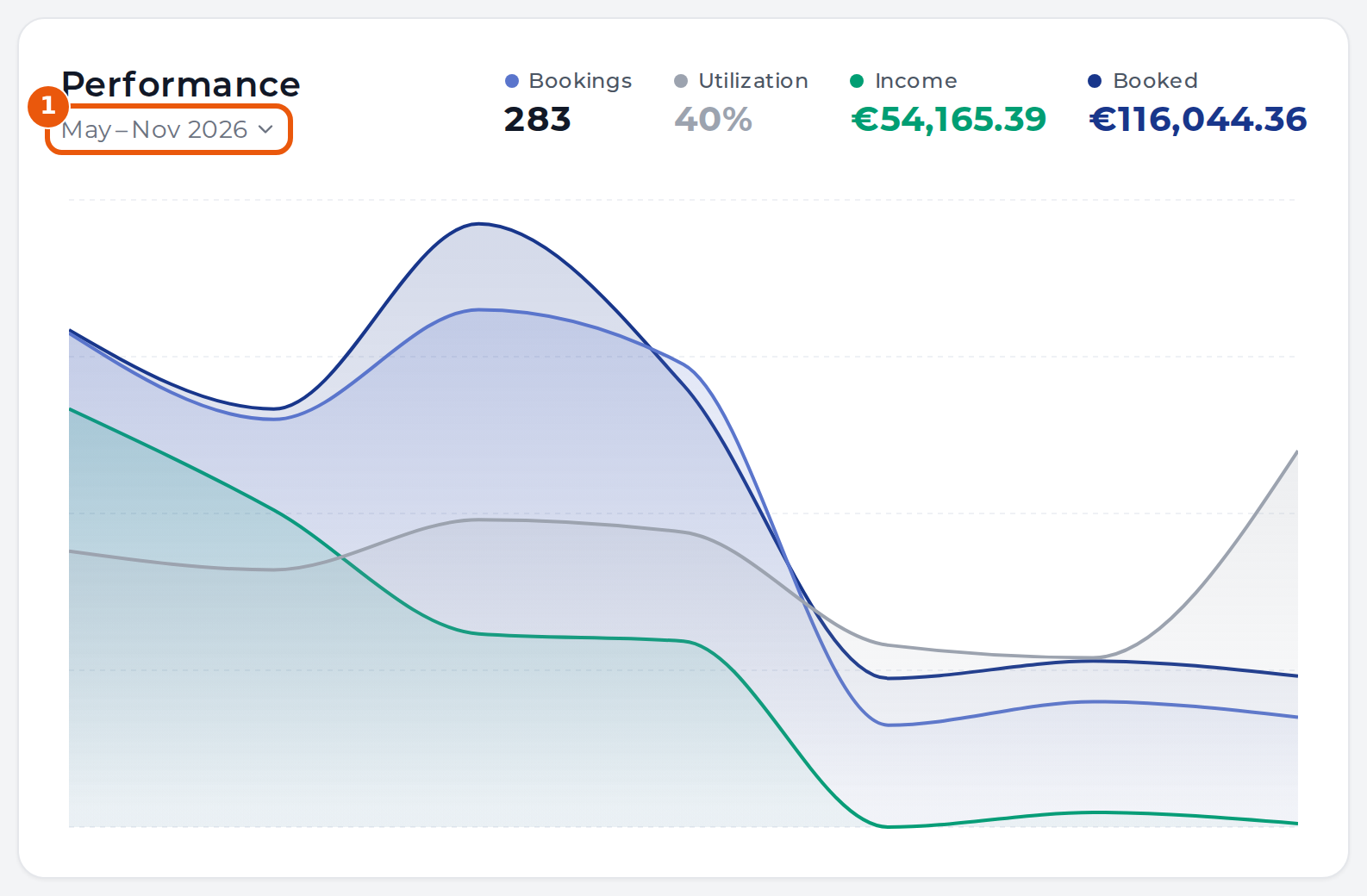
| Name | What it shows |
|---|---|
| Bookings | Bookings in the period |
| Utilization | How much of the fleet’s time was rented |
| Income | Money received, less refunds |
| Booked | Value of the rentals, shared across the months they run in |
Click the period under the title to pick other whole months. One month reads day by day, two or three by week, and longer periods by month. The picked period stays until you leave the page.
Maintenance, documents and tasks
The cards below show what needs attention. Click Record on a Maintenance row to log the service from the dashboard, or See all to open the full list. Vehicle documents lists what is expiring.